VRChat Linking & Troubleshooting
Members link their VRChat account to Discord in 📱|linking-with-vrchat. This page helps staff check a member's link and fix the most common problems.
VRChat cross verification no longer grants server access. For members asking about access, see How To Verify Members — Troubleshooting.
What Linking Is For
🔞NSFW World Access
Adult content in our VRChat worlds.
🎉After Parties & Events
Joining events and exclusive VRChat afterparties.
🏠Group Instances
Creating their own instances in our VRChat group.
- One-to-one: each Discord account can link to only one VRChat account, and each VRChat account to only one Discord account.
- No sharing: once a VRChat account is linked, no other Discord account can link to it.
- New accounts: if someone has a new Discord or VRChat account and wants to link it to their existing counterpart, pinging @lolmaxz is 100% required.
Check Linking Status
Any staff member can check a member's link. Always start here when someone reports a linking issue.
Desktop: right-click the member's profile picture or username, then:
 Hephia V2
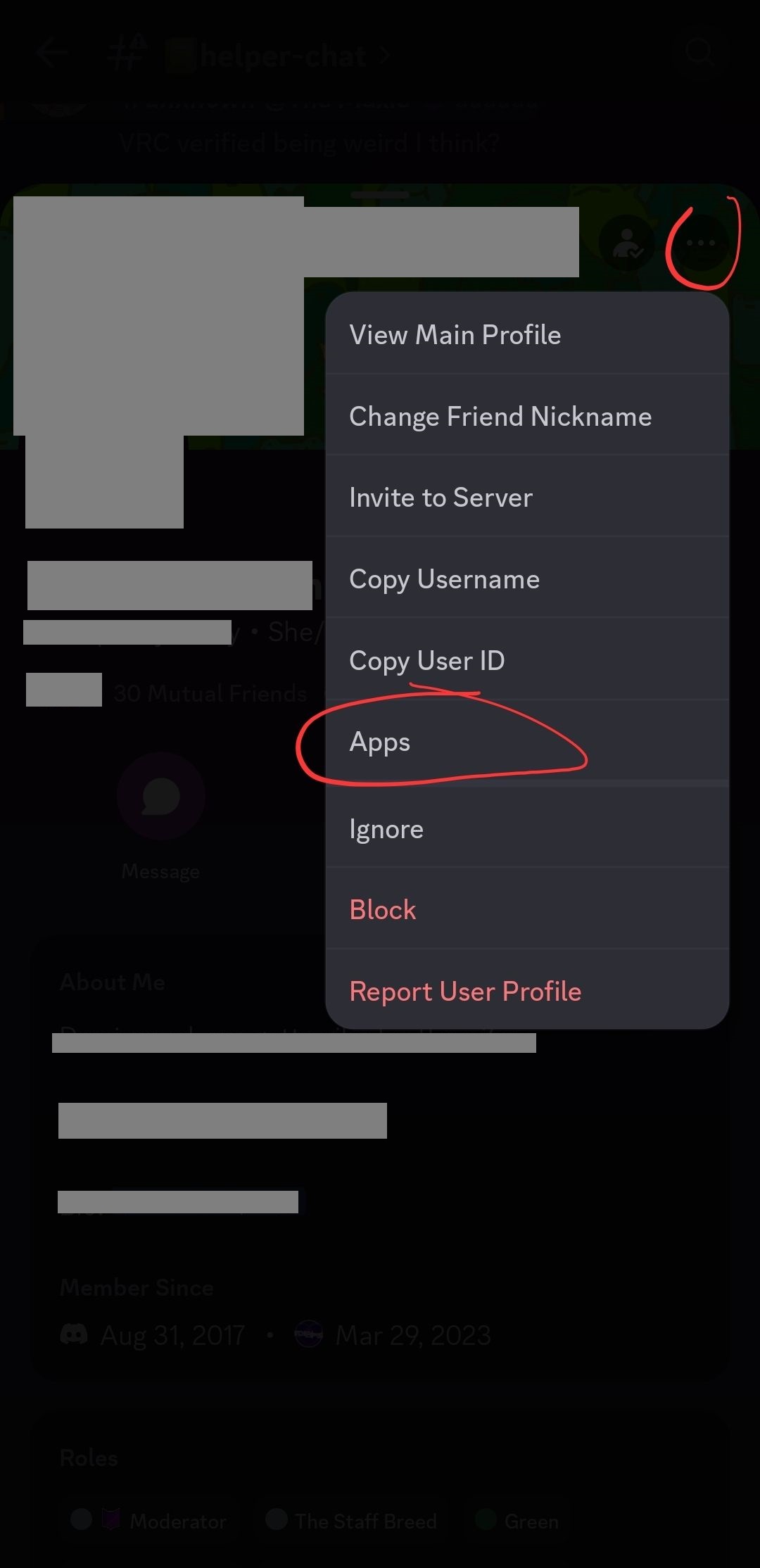
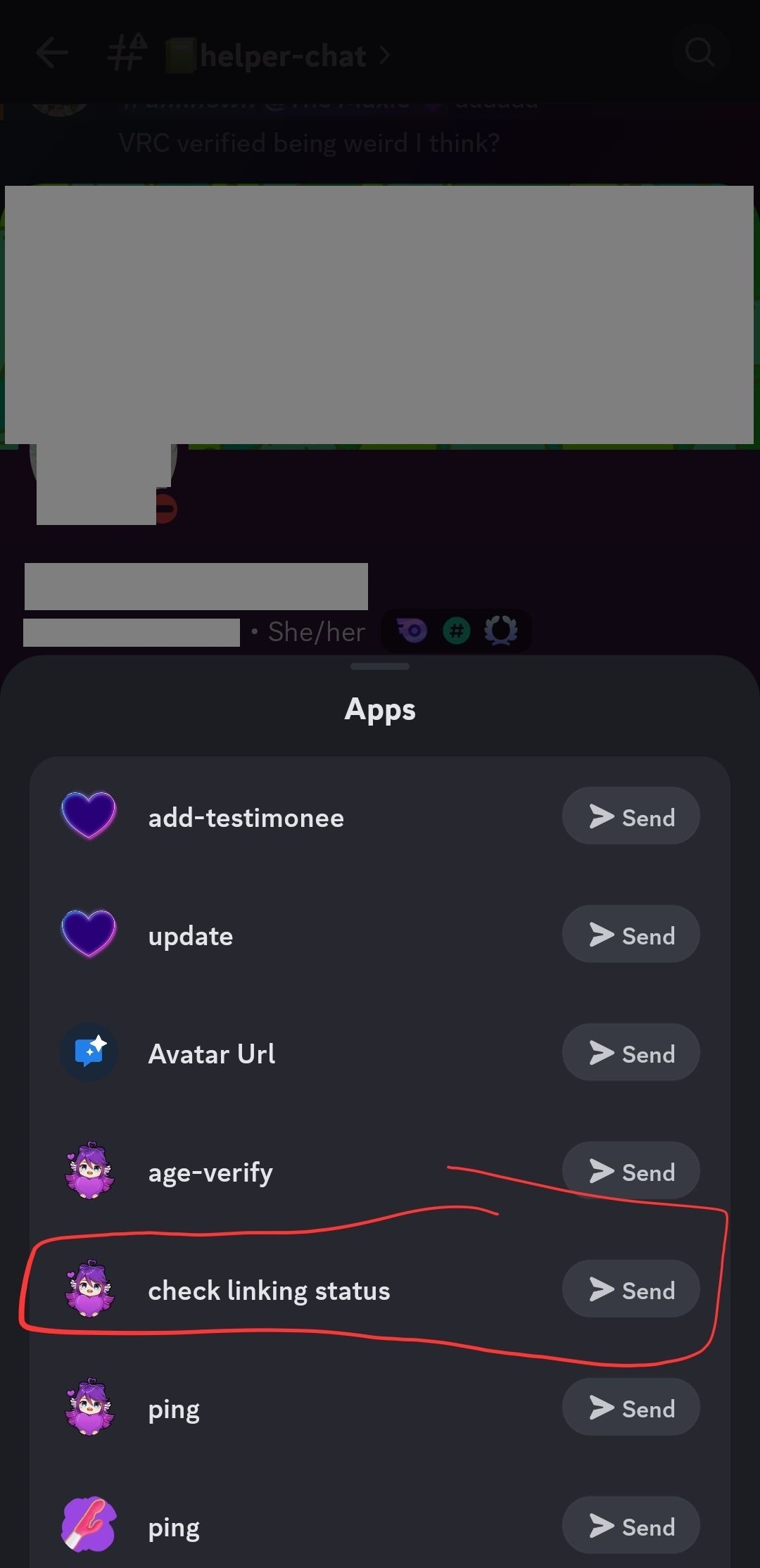
Mobile: tap the member's profile, tap the 3 dots in the corner, then the same path: Apps → Hephia V2 → Check Linking Status.
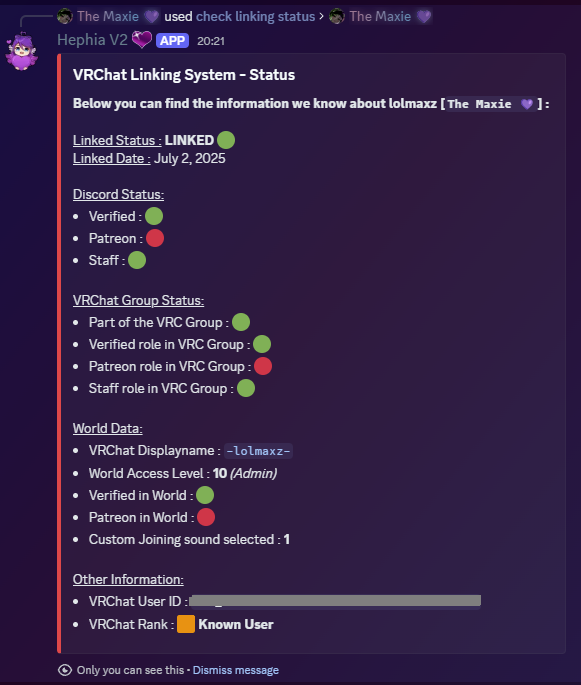
It shows:
- Whether they're linked
- Which VRChat account they're linked to
- Their verification status on Discord
- Their Patreon status on Discord
- Their VRChat group status
📱 Mobile screenshots
Common Problems
The bot isn't accepting the friend request
- The bot only detects friend requests; it never accepts them.
- Common causes: the request was sent too late, the account is already linked, or an old request is still pending.
- Fix: cancel any pending requests, wait for the Send Friend Request button to reappear, then send a fresh request.
Can't join afterparties
The member is linked but missing their VRChat group permissions. In 🪄events-attendees, have them click .
A Patreon supporter doesn't show in the VRChat world
They are linked as Patreon, but their name doesn't appear in the world.
- Ask: did they recently change their VRChat username?
- If yes: have them click in 📱|linking-with-vrchat.
- Wait about 5 minutes, then rejoin the world.
- Still not working? Ping @lolmaxz.
Example


Still Stuck? Escalate
- Document the problem with specific details.
- Ping @lolmaxz for technical help, and include:
- The member's Discord username
- What they're trying to do
- Any error messages they see
- The result of Check Linking Status
Useful channels: 📱|linking-with-vrchat 🪄events-attendees 🔗-vrchat-age-logs 🎫open-a-ticket